01
Open the workspace — no signup wall.
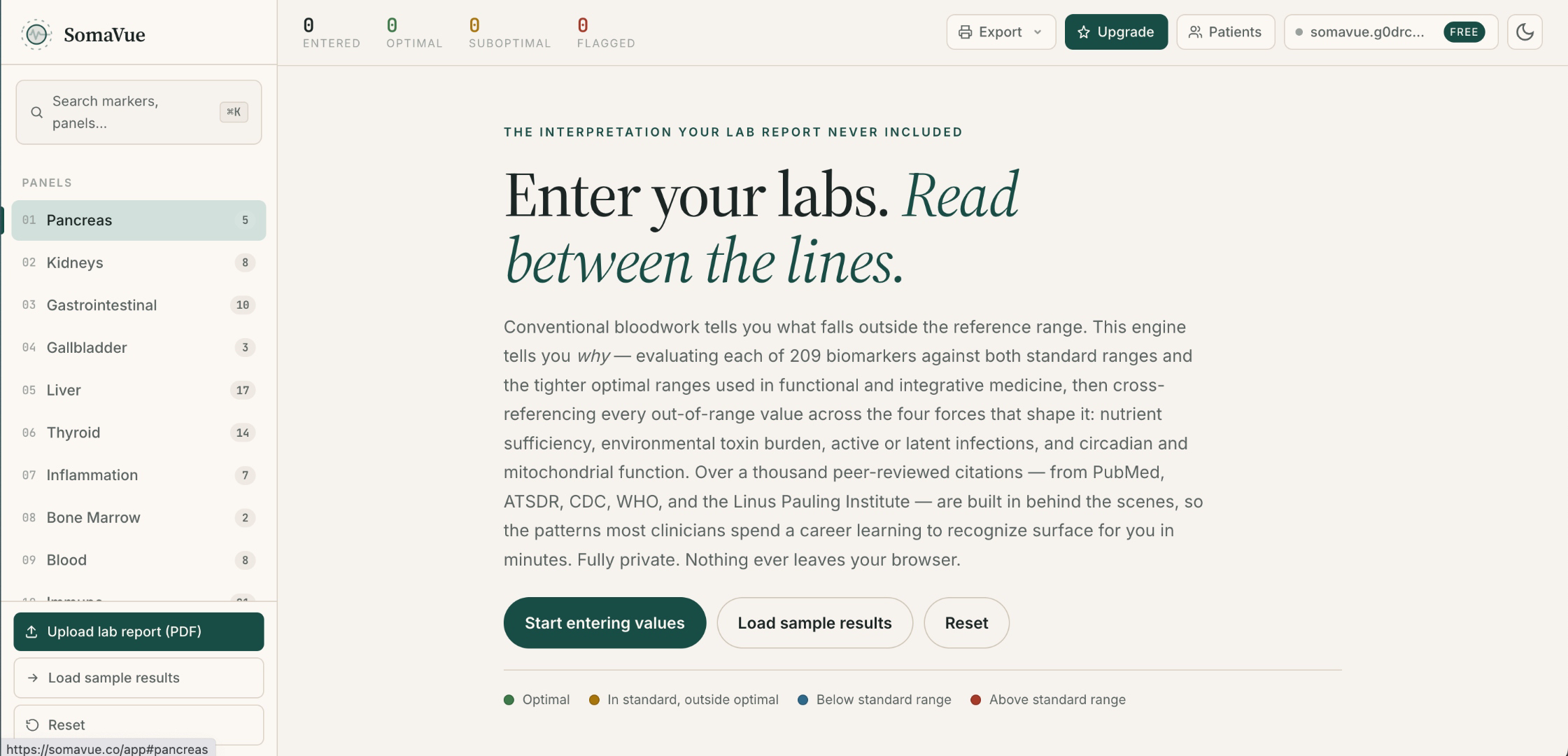
Land in the interpretation surface immediately. Manual-entry sheet on the left, empty panel grid on the right. No dashboards, no onboarding tour to close.
Pick your tier, step through the interpretation exactly as a practitioner would use it, and decide from what you see — not what you read.
Paid plans: $468/year for Pro or $1,068/year for Clinic. Monthly billing: $59 or $129.
Want a patient-ready report as well as your clinical interpretation? See the Clinic walkthrough.
Manual entry only (no PDF upload). See standard and optimal ranges side by side on every marker, plus a preview of the four interpretation lenses and cross-marker case synthesis.
Land in the interpretation surface immediately. Manual-entry sheet on the left, empty panel grid on the right. No dashboards, no onboarding tour to close.
Enter values one at a time or all at once. SomaVue lights up every marker with its standard and optimal ranges side by side as you type. Useful for verbal read-outs, hand-written labs, or spot-checking a single value.
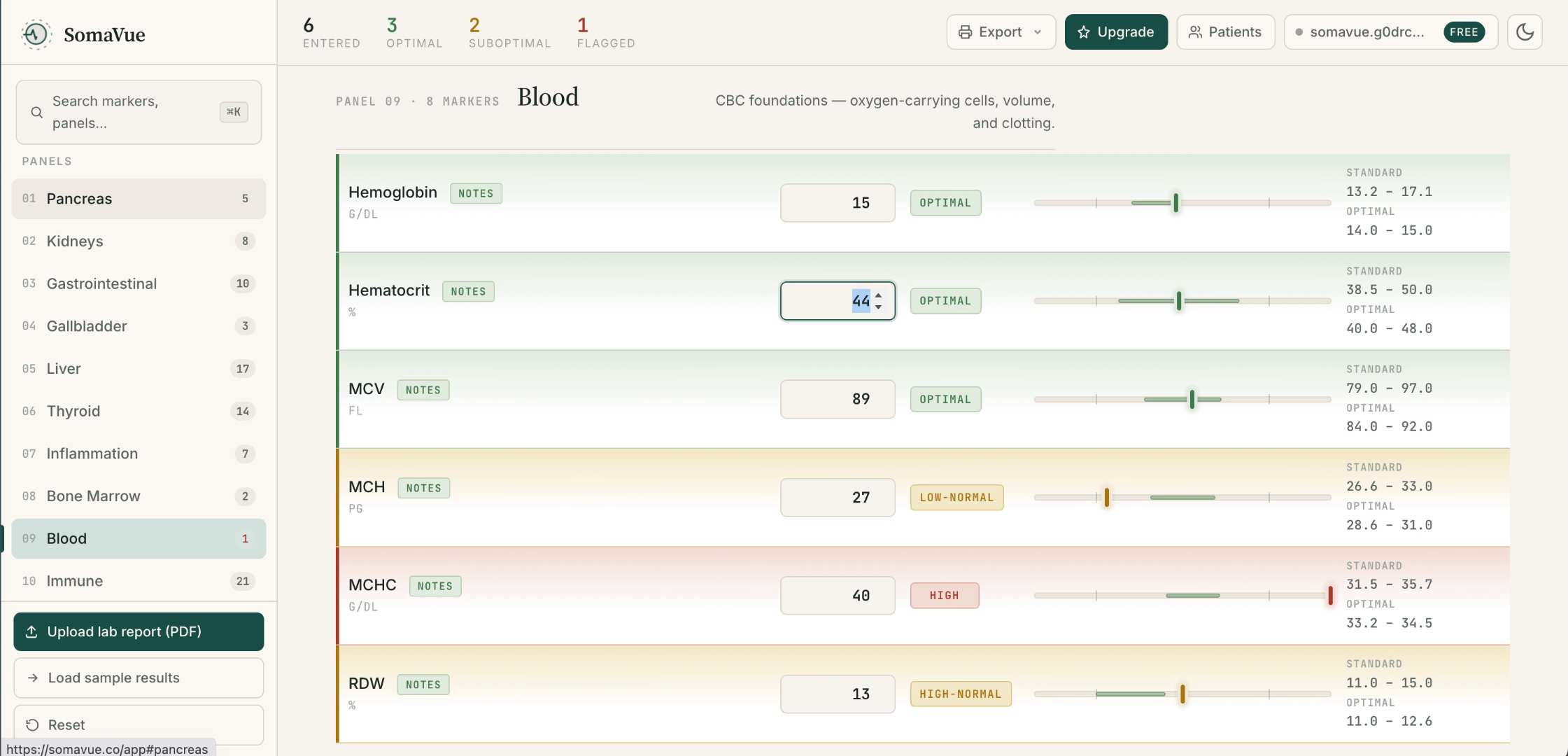
Free surfaces the gap: you can see which markers the lab called normal but that fall outside the optimal window. The tighter differential — the four correlation lenses and their peer-reviewed citations — unlocks on Pro.
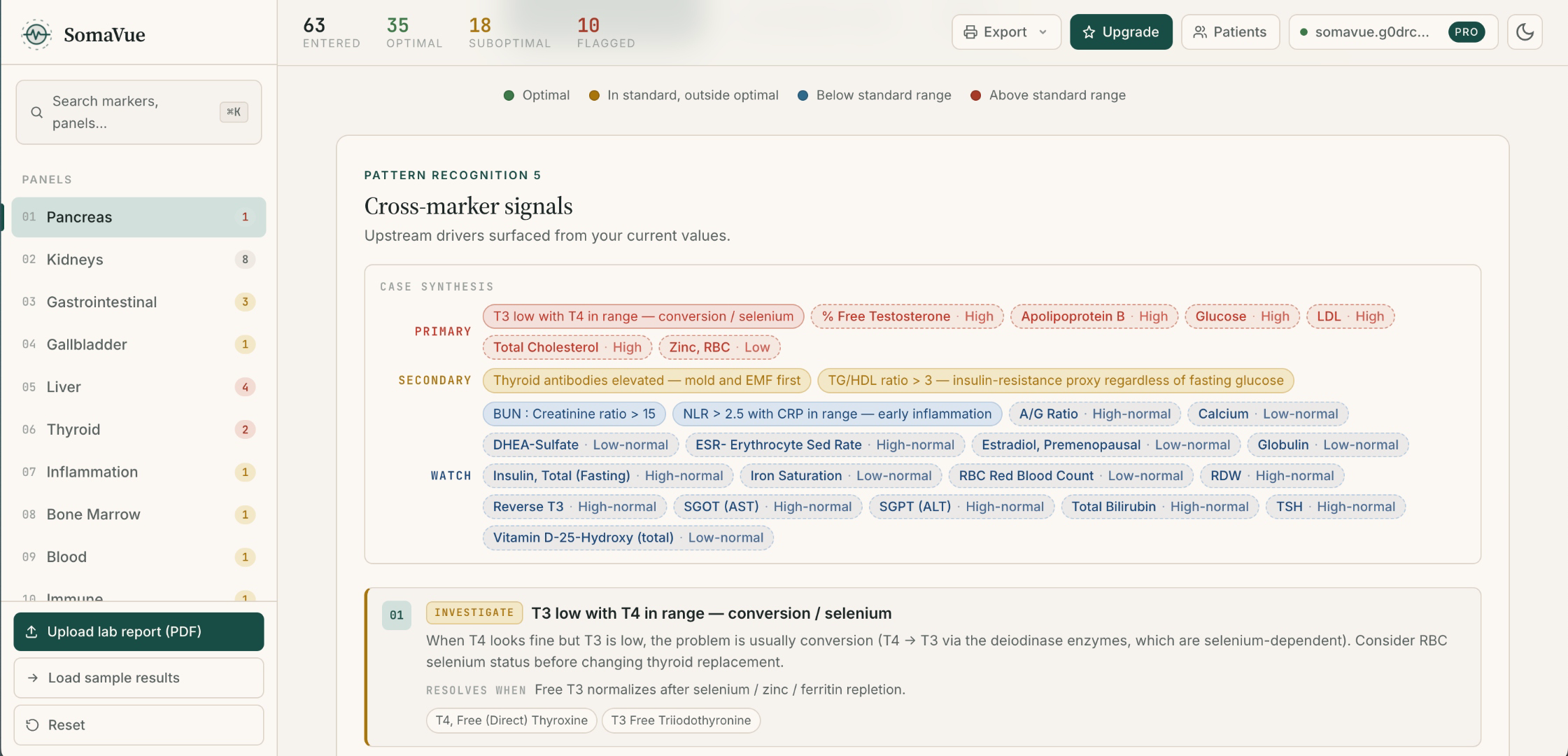
When two or more flags line up into a known clinical shape, Free previews the pattern name at the top of the panel. The full pattern library with mechanism, driver, and citations opens on Pro.
Type your first marker and see the flag map in under a minute.
Start with Free Free tier is unlimited on manual entry. No trial timer, no card. PDF upload unlocks on Pro.Everything in Free, plus PDF upload from Quest, LabCorp, and other blood labs, the four-lens interpretation on every marker, cross-marker pattern detection, a fully-cited practitioner PDF, saved patients, and 3 visits of trend history on every flagged marker.
PDF import (Pro and Clinic) reads Quest and LabCorp reports and other blood-lab PDFs. Values from any lab can also be entered manually on every plan. Check the recognized marker names, units, values, and draw dates against the original report before interpreting the panel. Enter or correct values manually if the format is not recognized.
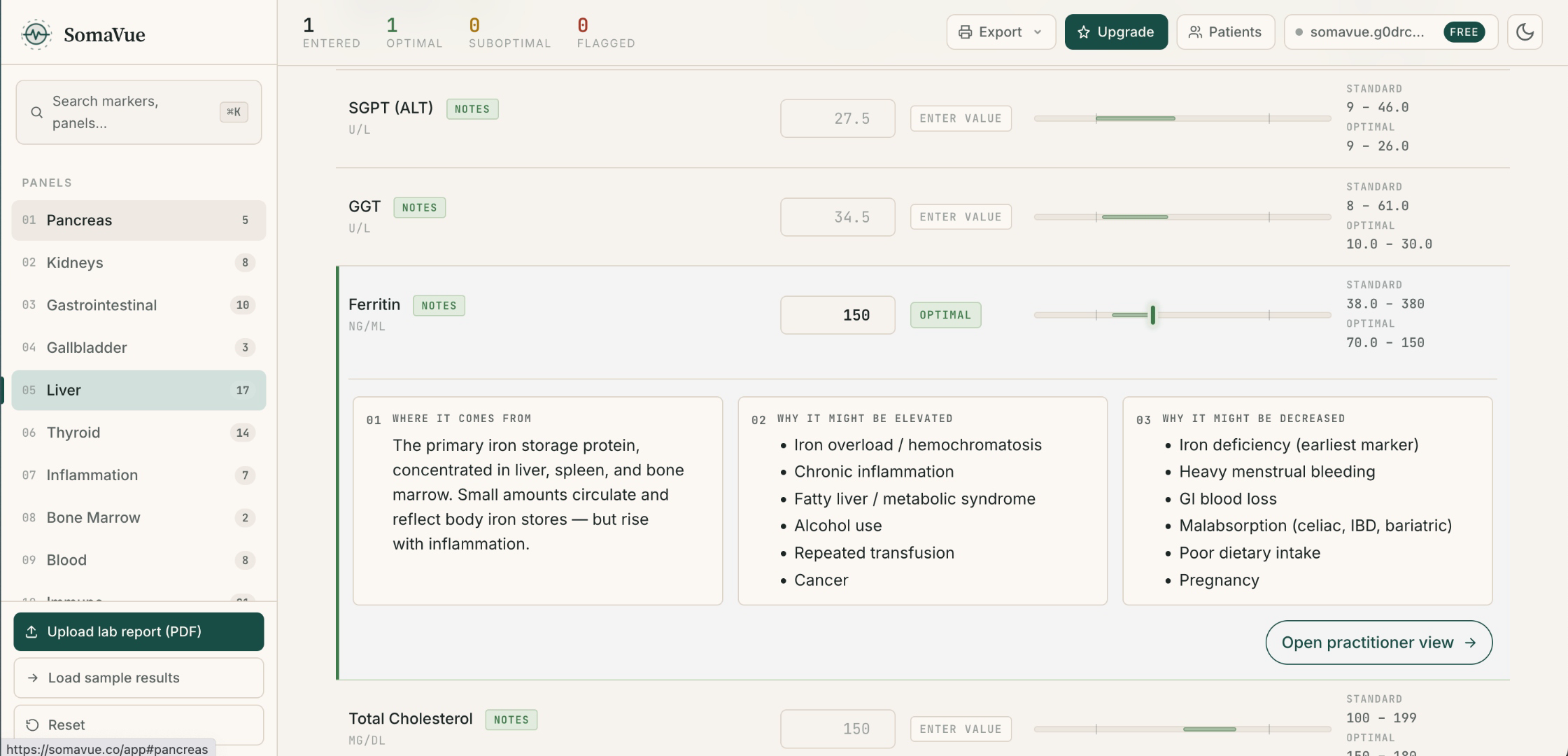
Nutrient cofactors that may be depleted. Environmental toxins that interfere. Infections known to drive the pattern. Circadian signals breaking down upstream. Each lens linked to peer-reviewed literature. This is what unlocks when you move from Free to Pro.
The engine checks entered values against pre-written rules involving one or more markers. Matching patterns appear above the panel so you can review related results together. A match is a prompt for clinical assessment, not a diagnosis or proof of a particular cause.
Export a multi-page practitioner PDF with flags, interpretation text, and linked references. Report contents are sent over an encrypted connection to SomaVue's server and its PDF-rendering provider, Browserless, to generate the file. SomaVue does not store report contents.
Import the patient's previous panel and SomaVue overlays it on the current one. See whether ferritin's climbing or crashing before you decide what to do.
The saved patient library stays encrypted in this browser under patient codes. Your passphrase unlocks it. To move devices, export an encrypted backup and re-import it; exported PDF reports use a separate server-rendering path.
$39/mo when billed annually · $59/mo monthly.
Start 14-day free trial $468 billed annually. Card required for the 14-day trial. Cancel anytime from your Stripe portal.Turn your lab review into a clear report patients can take home, with your clinic's branding, their results over time, and the notes you choose to include. Clinic includes everything in Pro.
Add your logo, practitioner name and contact details once. Your patient PDFs then carry your clinic's branding and disclaimer.
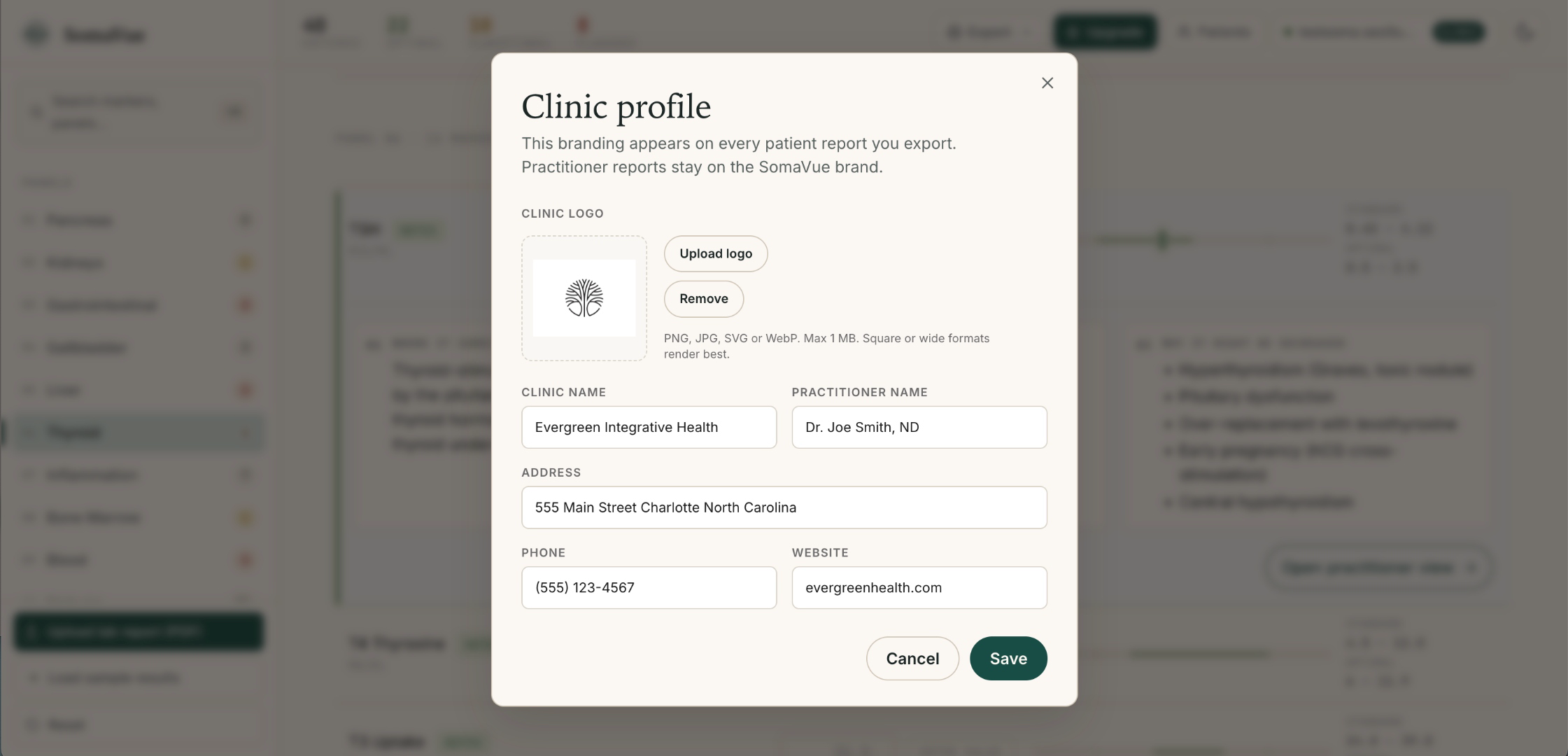
Import lab PDFs, review cited four-lens interpretations and cross-marker patterns, and export practitioner reports. Clinic keeps that clinical workflow and adds a report designed for the patient.
Explain the findings in plain language, with your clinic's logo, contact details and disclaimer on the report. Review the PDF before sharing it with the patient.
Bring earlier results into the patient report so you can explain changes across visits, rather than discuss each draw in isolation.
Select the built-in practitioner notes relevant to this patient and include them in the report. Add case notes where appropriate, then review the final PDF before sharing it.
$89/mo when billed annually · $129/mo monthly.
Start 14-day Clinic trial $1,068 billed annually. Card required for the 14-day trial. Cancel anytime from your Stripe portal.On smaller screens, scroll the table horizontally to compare every plan.
| Feature | Free | Pro — $39/mo annual | Clinic — $89/mo annual |
|---|---|---|---|
| Manual marker entry | Unlimited | Unlimited | Unlimited |
| PDF upload (Quest, LabCorp, and other blood-lab PDFs) | — | Yes | Yes |
| Standard + optimal range flag map | Yes | Yes | Yes |
| Four-lens interpretation on every marker | Preview only | Yes | Yes |
| Peer-reviewed citations on every claim | — | Yes | Yes |
| Cross-marker pattern detection | Preview only | All 139 patterns | All 139 patterns |
| Practitioner PDF report | — | Yes | Yes |
| Saved patient library | — | Local, encrypted | Local, encrypted |
| Trend history | — | Last 3 visits | Up to 24 readings per marker in patient PDFs |
| Patient reports with your clinic's branding | — | — | Yes |
| Choose practitioner notes for patient reports | — | — | Yes |